
VR Training Simulator for Operators: How to Choose a Developer
 By Carlos Franco, Co-Founder & CEO at Fyware · LinkedIn
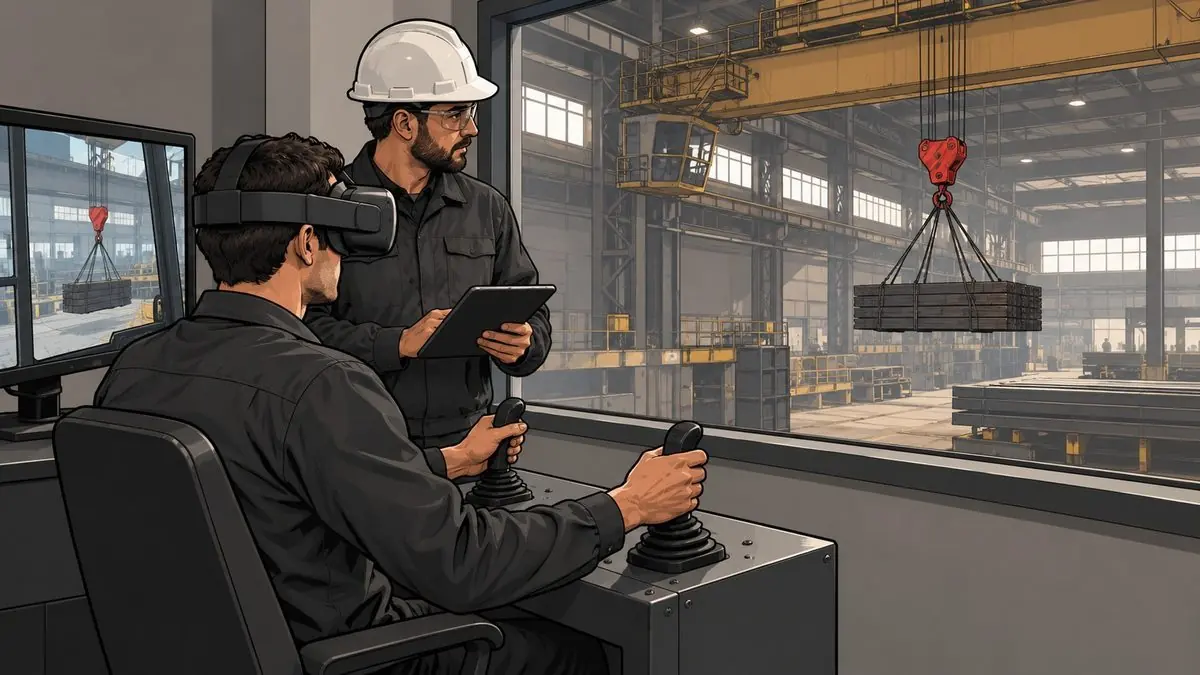
The short answer: pick a VR training simulator by what only exists in your plant. For a standard machine model, ask the manufacturer first. For a process run from a control room, you want a process simulator. If the controls, the layout or the procedure are your own, you need a custom build; ours start around $15,000 and a training simulator takes about three months.
Search for "operator training simulator" and almost every result is control room software for refineries and power plants. Useful, if that is your job. Most plants that call us have a different problem: a crane, a furnace or a line that has to keep running while someone new learns to operate it.
At Gerdau Corsa, a steel mill, the program started with the traveling cranes and their real levers wired into the simulation. Today it covers six cranes, the electric arc furnace, lockout tagout and a 360 induction. Before it, a new operator reached the crane after a safety talk and one supervised climb.
Which VR training simulator do you actually need?
Three different products are sold under that name.
A process simulator reproduces how a plant responds (pressures, temperatures, alarms) on a control room console. It comes from the vendor of your control system or from a firm that specializes in process simulation. If your operators work in front of screens, start there.
A manufacturer's simulator reproduces one machine model and its controls, and several equipment makers offer one for their own machines. If your excavator or forklift matches the catalog, call your dealer before anyone else.
A custom simulator is built from your equipment, your floor and your procedure. That is the work Fyware does, and it makes sense when the controls, the layout of the area or a sequence your plant wrote are different from the catalog model. For steel, the steel mill training simulator brings together what was built for Gerdau Corsa, and our comparison of VR training companies covers who builds what.
Risks every plant shares, like fire extinguishers, PPE or forklifts around pedestrians, already have ready-made simulators in Fyware Safe, branded for you in one or two weeks. If what you are missing is a safety dojo, the virtual safety dojo adds to the one you have.
What your plant brings and what the developer builds
At the steel mill, the plant brought the standard: the procedures, the sequence of each maneuver, the evaluation criteria and what counts as an error. Fyware built the eleven modules and the platform that hosts them. That split sounds obvious, and it is worth putting in writing before the quote.
Expect the developer to ask for your written procedure, photos, video or drawings of the machine, and a visit to record the area. For Mabe we modeled a paint booth on rails and a press area with a robotic arm from their drawings, 3D models and photos, in three weeks according to the quote. That one was an industrial VR visualization project, so their team could see the machine movements before installing them.
Be careful with a developer who offers to write the procedure for you. Your people need to learn how the job is done in your plant, and your plant is the one that knows.
Real controls or headset controllers?
My rule is short: if the cab has a lever, the simulator has one too.
At the mill each of the six cranes has its physical controls, and operators use the same levers they find in the cab. That is how the overhead crane simulator is built. The electric arc furnace is trained in its control room, with the panel, the valves and the button sequence. For a step-by-step procedure, like an inspection or a walkthrough, headset controllers are usually enough.
Ask whether the developer can wire your control or a replica, and which headset and computer the project needs. If you already own headsets, have them check the model before you buy new ones.
How do you train operators on equipment you can't shut down?
You put the simulator in a training room and the line keeps running. Ours runs offline, with headset supervision in Fyware Hub on its own router, so IT usually only has to approve the install. Sessions run in groups of four to eight: one person practices while the rest watch on a screen.
At Gerdau Corsa, the plant reports 10 hours of simulator time a month and zero production stops for training.
OSHA still asks for the same things. For overhead cranes, 29 CFR 1910.179(b)(8) allows only employer-designated personnel to operate them. For forklifts, 1910.178(l)(2)(ii) requires formal instruction, practical training and evaluation of the operator's performance in the workplace. The simulator comes first: operators reach the machine having done the maneuver, and the workplace evaluation and the designation stay with the employer.
Seven questions to ask before you sign
- Who decides what counts as an error? It should be your plant.
- Can it use your controls or a replica?
- What gets recorded for each person? Attempts, errors, times and score, in a file your LMS can import.
- Does it run offline, and what does IT have to approve?
- Who updates the content when the procedure changes? Variables, ranges and the question bank can stay editable from the instructor's tablet.
- Who owns the development, and is there a per-headset license? At Fyware your company owns it, with no licenses, and it costs the same on 1 headset or 30.
- Does the second machine start from zero? At the mill, the furnace, lockout and induction modules grew on the crane architecture.
How much does a custom VR training simulator cost?
Ours start around $15,000 and are quoted by module, so you can drop scenarios until it fits the budget. If you already have 3D models of your equipment, reusing them lowers the cost. The ranges by project type are in how much VR training costs.
A training simulator takes about three months and a complex one three to six, with a usable version before final delivery. To test before you commit the budget, the Diagnostic Pilot of our industrial VR training takes one of your procedures and delivers a navigable prototype and a business case with a baseline in about three weeks. It is credited to the project if you move ahead.
Frequently asked questions
What is a VR training simulator for equipment operators?
It is software that reproduces a machine or a process so people can practice the operation, and its mistakes, away from the real equipment. It can be a process simulator, a manufacturer's model or a custom build of your plant.
Does a simulator replace hands-on training on the real equipment?
No. It gets operators to the machine with practice already done. OSHA's forklift rule still requires practical training and an evaluation in the workplace, and cranes can only be run by personnel the employer designates.
Why a simulator instead of a video of the procedure?
A video shows what the maneuver looks like. In the simulator the operator does it with their own hands, gets it wrong and repeats it, and every attempt is recorded without costing the line anything.
How much does a custom VR training simulator cost?
Around $15,000 to start, quoted by module so the scope fits your budget.
Does it need an internet connection?
No. The simulator and the headset supervision run locally, on their own router, separate from the plant network.
Before you ask for quotes, work out what training on the live machine costs you today: operator training cost calculator.
 Tom Klukowski
Fyware Partner · Valcre Marketing
Before we quote, we check whether virtual reality fits your operation
Fyware has delivered 750+ XR projects for clients like Gerdau Corsa, Cummins and Medverse, from Mexico in US Central Time. Tell us your case and we will tell you what is feasible, how long it takes, and on what budget.
Get the next articles
Practical guides on VR, AR and industrial training. No spam: we only write when we publish.